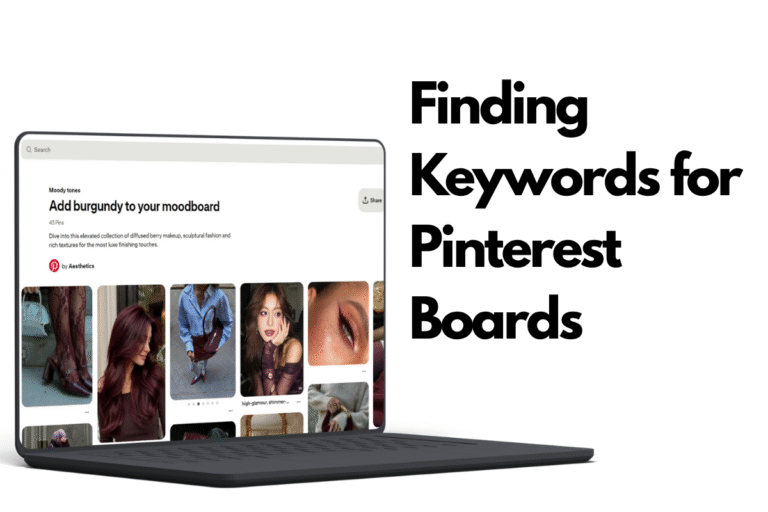
This is the last post in my ongoing Pinterest profile audit series. If you’re just joining, catch up on Step 1: Getting Organized and Step 2: Finding Keywords for Board Titles before diving into this one.
This one has less to do with keywords and more to do with how your profile actually looks.
What board covers and headers actually are
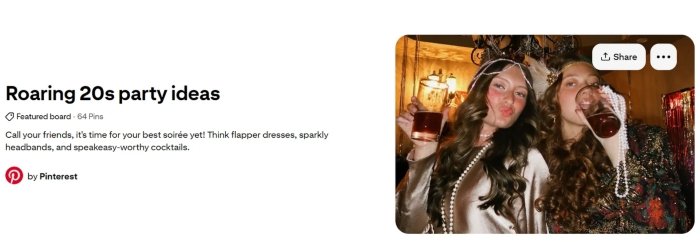
If you go to the Pinterest Ideas page and click into Explore Featured Boards, you’ll get a good sense of how Pinterest wants boards to look. Each one has a title and description, as usual, but also a board cover and a header image, if you open a particular board.
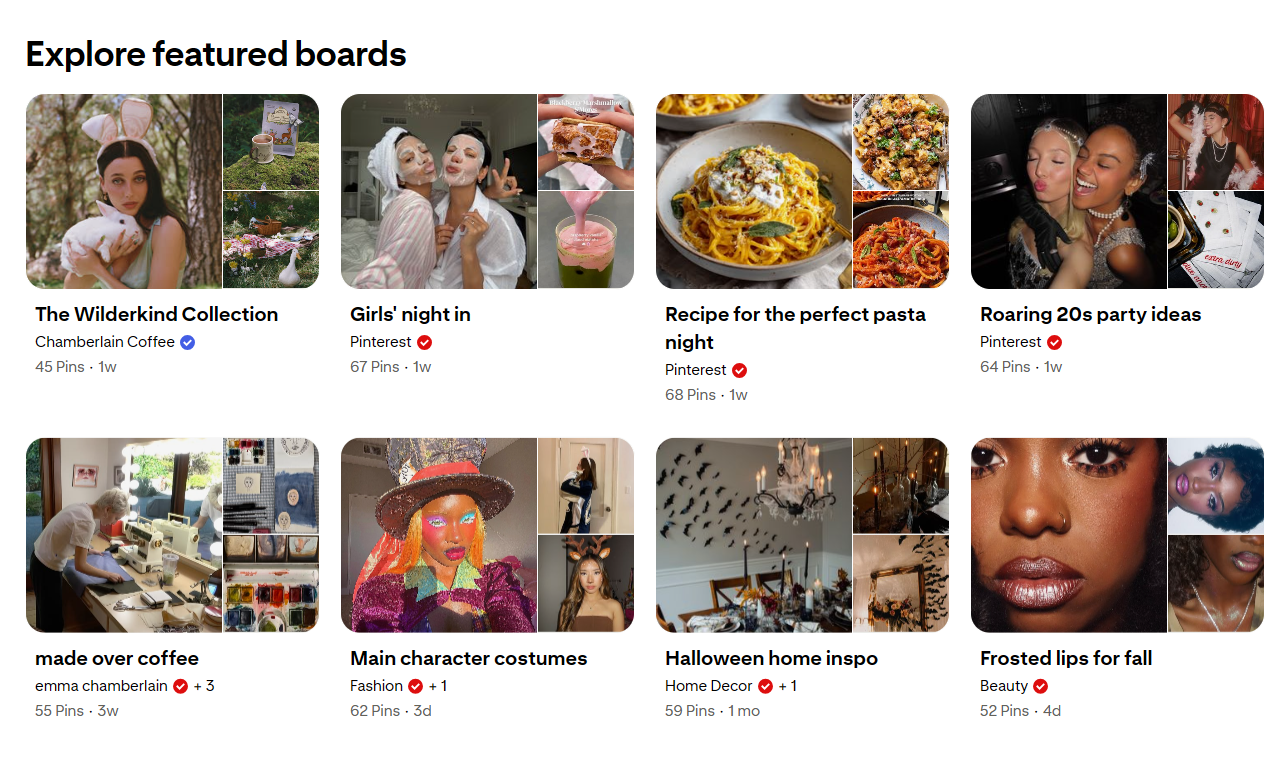
If you look at how a board displays on someone’s profile, each board preview shows as a grid of three: a larger square on the left, and two smaller squares stacked on top of each other on the right. That larger square is your board cover. The header is a banner image you only see once you actually click into the board and view its content. These two don’t have to be the same image, though they can be. The important thing to know is that both are pulled from pins you already have on that board.
You’ll always have a board cover even if you don’t set a specific image; Pinterest chooses this for you if you don’t. However, you must set a header image yourself for it to show up.
Do board covers and headers actually matter?
I don’t think they do much for your growth on Pinterest in terms of outbound clicks or impressions. Pinterest will auto-select a cover for you regardless, and I don’t think very many people actually check your profile to see your boards, nor would they be turned off if you don’t have an aesthetically put together board.
That said, I still think it’s worth doing, for two reasons. First, Pinterest does this itself. If you go to the Explore tab on your personal account, you’ll see Pinterest’s own featured boards, and they’re very well curated. There is always a prominent cover image that captures the essence of the board, as well as a header that makes the board look visually pleasing. If Pinterest is doing this with its own featured boards, I think it’s worth following suit.
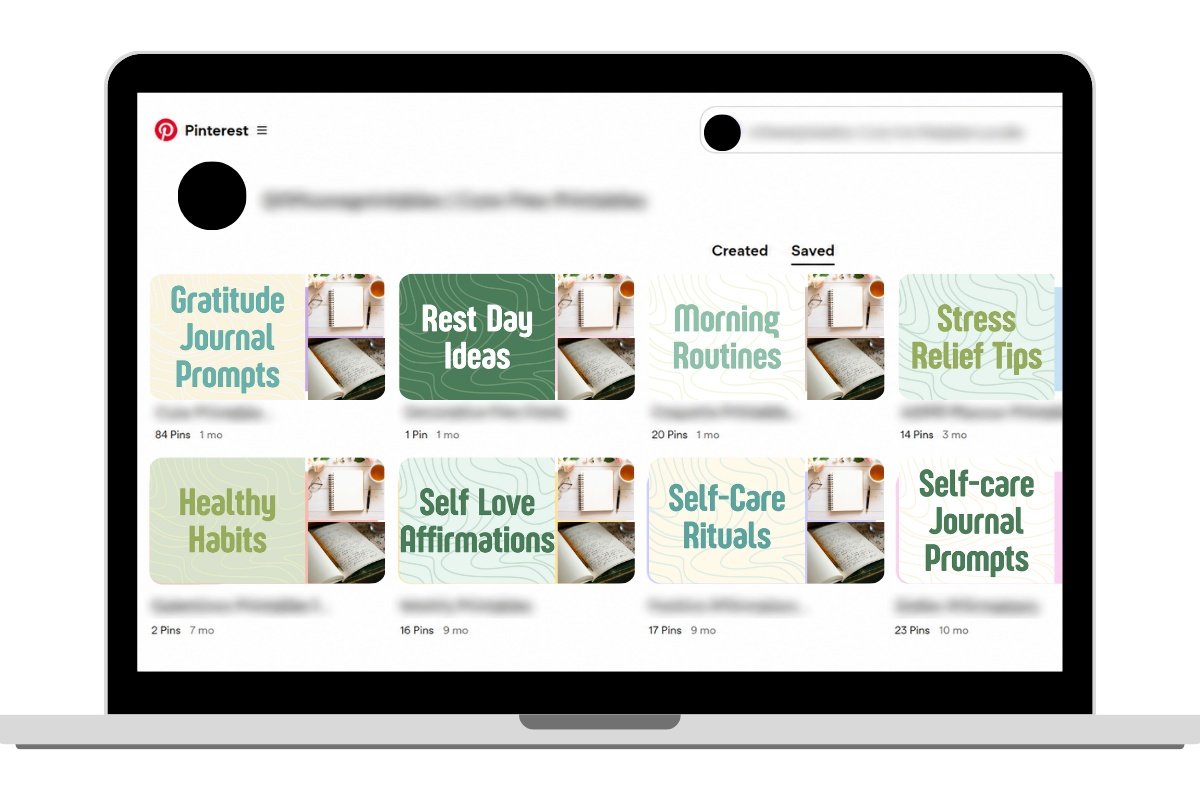
Second, it helps your profile make sense at a glance. Go to your own profile and look at the ‘Saved’ tab. With multiple boards, things can get messy pretty quickly and I do think that having well chosen board covers puts things in perspective for anyone landing on your profile and trying to understand what it’s about before they follow you.
Picking a board cover: photo or text-based?
There are a couple of ways to approach this. You could choose an existing pin that’s encapsulates what the board is about, say a close-up of a vegetarian meal if that’s the board’s focus, or you could go with a text-based cover.
I once followed advice from a Pinterest coach I really respect, and her approach was to upload the board cover as a regular pin, but make it text-based. By text-based, I just mean the pin image features a simple background with the focus on the text. That text should say what’s in the board in around two to four words.
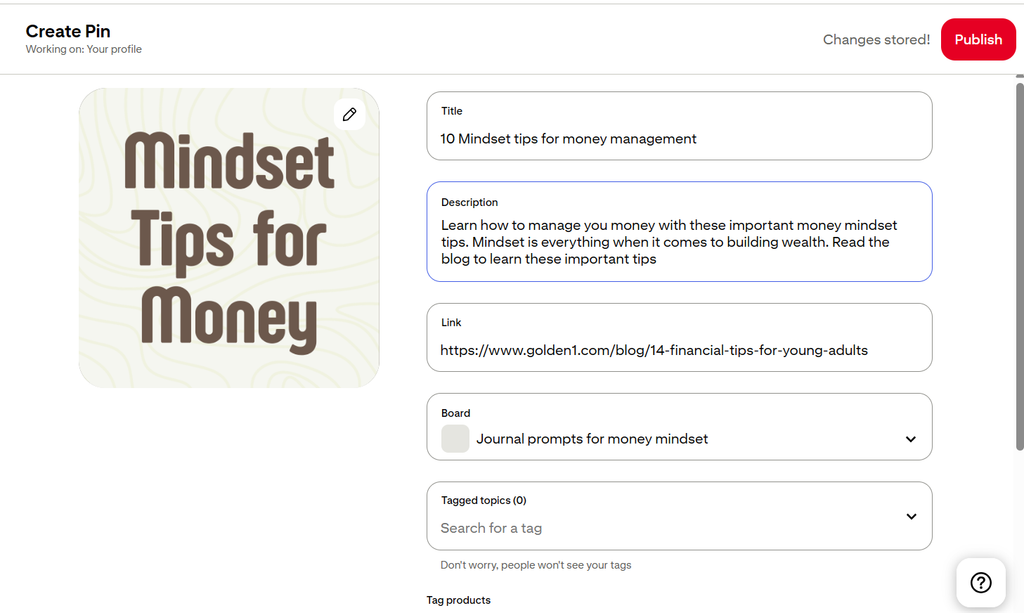
You upload this as a regular pin, linking to a real destination, a product, a blog post, a category of posts or even an Instagram page. It doesn’t matter where, but it needs to function as a regular pin. Keep in mind the goal here isn’t to go viral. It’s really just to make sure you’re not wasting a pin and that if someone does click it, it goes somewhere real.
Now for the specifications of this pin. The main job is to function as a board cover. You don’t have to strictly use a 2:3 ratio, Pinterest used to recommend that for pins, but it’s loosened up over time. You can use a 1:1 instead, I suggest keeping it simple with 1000 by 1000 px.
Then there’s the text itself. Because this image needs to double as a cover, you can’t get too specific or granular with it. I talked about the challenge of granularity in my last post, and the same logic applies here. If my board title is ‘Journal prompts for money mindset’, I wouldn’t get too specific, I’d just say ‘Journal Prompts’ or ‘Money Mindset’. You want this to represent the board broadly, because your board will evolve over time, and something too hyper-specific risks becoming irrelevant if the scope of the board changes.
You can also skip text altogether and just use an image with no overlay, something that reads clearly as a close-up of what the board’s about.
Choosing a header image
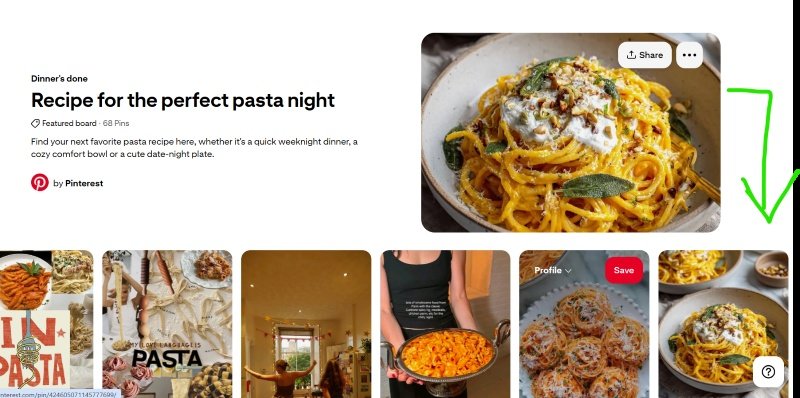
For headers, I’d encourage you to pull from a pin you already have rather than making something new. Again, if the board is “Journal prompts for money mindset” maybe I already have an infographic-style pin with a few example prompts listed, and I’ll crop it so the header shows the title plus the first few prompts. If it’s a food board, a close-up shot works. If it’s a DIY board, maybe it’s a close-up of a finished project, like a crocheted doily or a bag.
Keeping it visually consistent
A few general tips for pulling this together:
- Stick to a consistent color palette across your boards, especially for text-based covers.
- Make sure any text is actually legible and don’t sacrifice readability for aesthetics by using script fonts.
That wraps up this Pinterest profile audit series. If you’ve been following along: Step 1 was about getting organized, Step 2 was about finding and using the right keywords, and this step was about making the whole thing look cohesive. Hopefully this gave you a solid framework for auditing your own boards.
Until next time, happy pinning!