If your Creative Fabrica store application was rejected, you’ve come to right place. I’ve been rejected too, more than once, across more than one store. After around three years of selling digital products online, I can tell you that rejection happen all the time and that Creative Fabrica actually encourages you to make fixes that will finally get your store accepted.
In this post I’ll walk you through how to open a store on Creative Fabrica, the most common reasons a store submission gets rejected, and the practical steps to get your store approved when you reapply. If you’re here because your application was turned down, skip straight to the reasons below. If you haven’t applied yet, read the whole thing and you may avoid a rejection altogether.
This blog post includes affiliate links. If you join Creative Fabrica using my link, I may get a commission at no cost to you.
How to open a store on Creative Fabrica
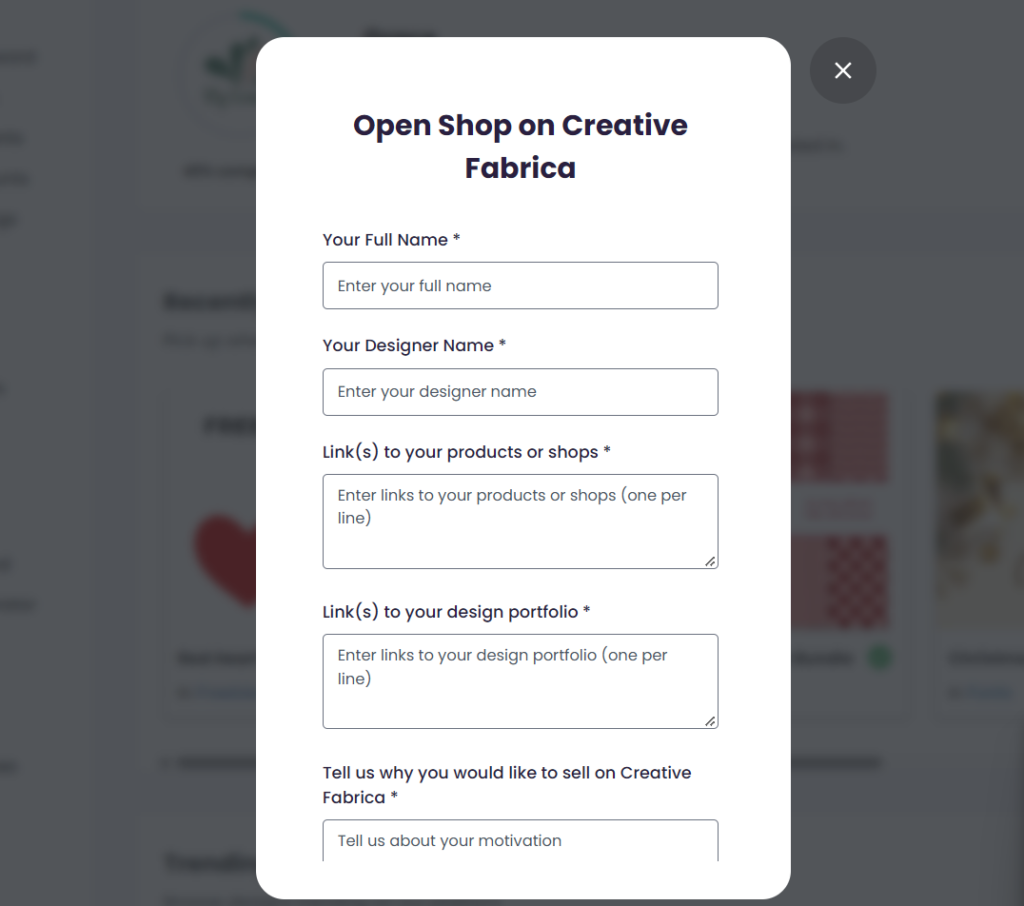
Creative Fabrica gives you instructions on how to create a store here. You start by creating a free account. Then you apply to open a store from your My Account page, which converts your account into a Design account. A window will open, asking you to fill in a few things. The most important things that make or break your application are the following:
An existing digital product shop
Lot’s of people think that Etsy is the only option but I personally have got my three stores approved using other platforms. You may use Payhip, Gumroad, Shopify, WooCommerce (or any other stores on your own website), Kofi etc. If you don’t have an existing shop, your application will get rejected.
An existing portfolio
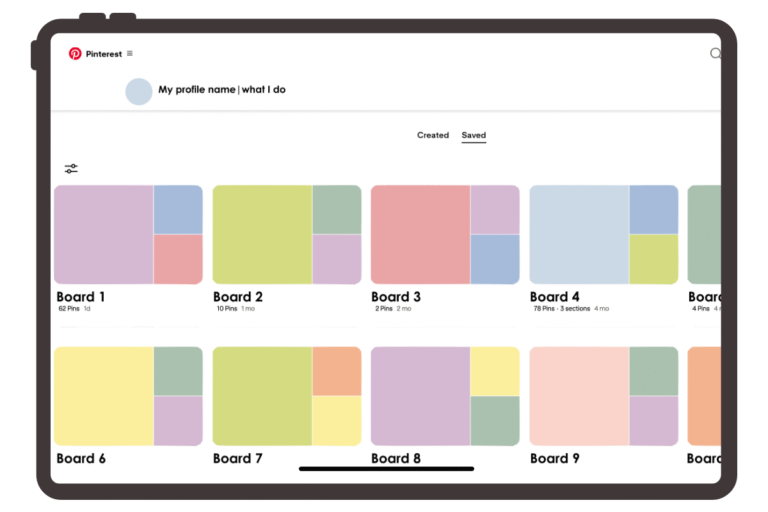
A portfolio is really just a curated collection of your designs and your work. Behance is the common choice, but Adobe, Dribble, Canva, Webflow, Crevado or a dedicated page on your own website can work too.
Not all porfolio platforms are created equal and we will discuss this later in this blog post.
Now following the simple instructions on isn’t enough to get your designer account approved. Plenty of people fill everything in correctly and still get rejected, and most of the time the portfolio is the reason.
Why was my Creative Fabrica store rejected?
Here are the reasons I’ve run into myself or seen other designers run into.
1. Your products don’t fit the platform
Creative Fabrica is a platform for creators. A digital asset needs to help a creator make something else, whether that’s a different digital product, a physical product or a craft. Some examples of popular product categories include SVGs, PNGs, fonts, patterns, illustrations, backgrounds, mockups, Canva templates and needlework patterns like crochet, cross stitch and embroidery.
Some product categories aren’t so great for a store application. For example, printables. A printable is usually the finished product, not something a creator uses to make a product. In fact, most people looking for printables choose other platforms like Etsy to buy printables. A couple of years ago, a portfolio with printables would have gotten accepted but Creative Fabrica has changed over the years. If that’s what you sell, your store submission may not match what their customers are looking for. Instead, if you sell printables, packaging them as templates that other creators can customise is one route that may fit the platform better than selling finished printables.
Spend time browsing the platform before you apply. Look at the categories and at what sells. Don’t create products just to get accepted, though. Your store should line up with what you genuinely enjoy making, because that’s what you’ll be sustaining.
2. Your portfolio is too new
Some portfolio-hosting platforms show the date your portfolio was created. If it looks like you put it together a couple of days ago, and then applied, you may get rejected because Creative Fabrica can’t get a good sense of your design style.
I can’t give you an time period that works, but a couple or three months seems safe to me. Don’t create a portfolio and link it in an application on the same day. Genuinely give yourself the time to create a well curated portfolio. You may also choose a platform that doesn’t date your portfolio if you are unsure.

3. Your portfolio isn’t curated
A portfolio isn’t a dumping ground for miscellaneous designs, nor is it a place to just put up product listing images. Your portfolio should have a theme, whether it be an aesthetic or a type of product. Try to show your best work and make sure your portfolio is cohesive. Otherwise, you might be rejected for misalignment.
4. The link is broken or private
Creative Fabrica can only review portfolios that they can open. If your link is private or broken, they can’t see your designs. One of my rejections said that the link didn’t take them to a page with my designs, so they couldn’t fully review my application.
Make sure your link is public. Some portfolio platforms charge for this, but a portfolio can also simply live on your own website, as long as it is a public page that can be viewed. Google Sites and Crevado are good for this.
5. They can’t verify the portfolio is yours
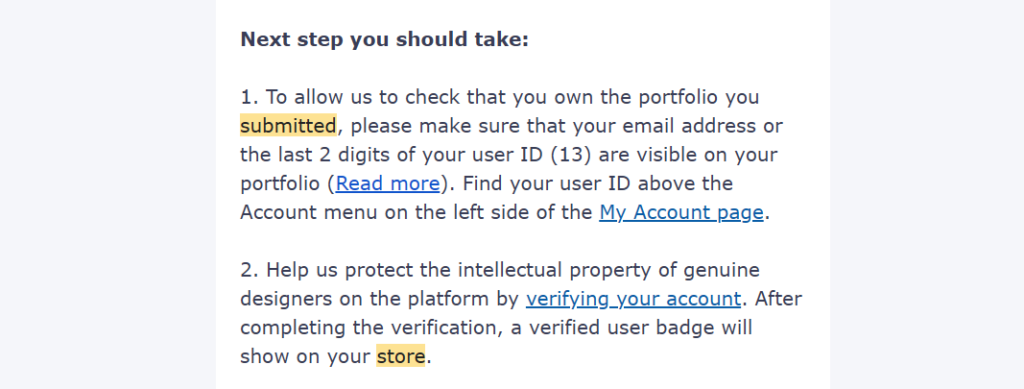
This is the gets so many people rejected, perhaps because the instruction to include your Creative Fabrica user ID comes AFTER you submit the application. Basically, your portfolio needs to show your the last two digits of your user ID. This number can be found above the Account menu on your My Account page.
I suggest that you give your portfolio a clear title and put the last two digits of your user ID somewhere obvious, so the reviewer doesn’t have to hunt for them. You’ll also be asked to verify your account, and once that’s done a verified user badge shows on your store.
6. Not enough designs
This one is hard to hear, especially when you want to start earning quickly. The truth is, you simply can’t rush through creating a portfolio; it will always show. Some people will tell you that 5-10 designs is enough but I’ve had a shop rejected with ten designs, and the feedback was that they couldn’t see enough of my work to understand my style.
Aim for a little variation within a cohesive style. THis way, reviewers can see whether you’d be a good fit for the platform. I suggest going for twenty different designs.
Also remember that a design is different from a product. The product goes into your shop, but in your portfolio you need to showcase the design. If you’ve made an SVG, don’t just upload an the image but show how it can be used. Put it on a t-shirt or a cushion in a mockup so reviewers can see how a creator would use it.
7. Mixing too many categories
Your application might also be rejected because your portfolio lacks cohesion, featuring a mishmash of miscellaneous products. You might get feedback that says that Creative Fabrica is unable to get a good sense of your design style. To help you deal with this, pick one product category for your application. If you make Etsy listing templates, Canva mockups and SVGs, don’t apply for a single store with all of them at once. A mishmash makes it harder for Creative Fabrica to see what you’re about.
In my experience, the categories that get approved more easily are PNGs, illustrations, SVGs, fonts, laser cutting files and needlework patterns such as crochet. But here is a longer list of product categories to choose from.
What can you sell on Creative Fabrica? Product categories
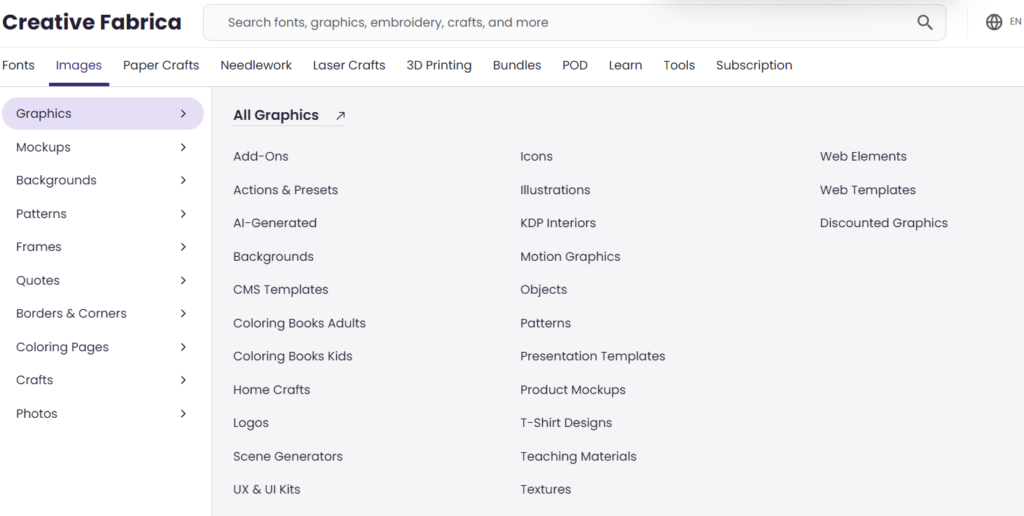
Here’s a look at the main categories on the platform, so you can see where your products might fit before you apply.
Graphics and design elements
- Icons, illustrations, patterns, textures, backgrounds, decorative elements and web elements
- Add-ons such as actions and presets, brushes and layer styles
Mockups
- Packaging, apparel, accessories, stationery and electronic devices
- Print materials, home and living, signage and outdoor, food and beverage
- Beauty and cosmetics, environmental scenes, branding and identity
- Social media and websites, holiday and seasonal, sports and outdoors
Templates
- Graphic templates, including print, logos, infographics, UX and UI kits and social media
- Presentation templates and web templates
- CMS templates for WordPress, Shopify, Joomla and more
- Canva templates, including social media, flyers, resumes, planners, invitations, wedding and event, and ecommerce
Crafts and needlework
- Crafts, laser engraving, tumbler wraps and T-shirt designs
- Needle arts, including crochet, cross stitch, sewing, quilting, hand embroidery, beading and macrame patterns
Publishing and education
- KDP interiors, coloring pages and books
- Teaching materials from Pre-K to 12th grade
How to get your Creative Fabrica store approved
Here’s the short version of everything above, so you can use it as a checklist before you apply:
- Have an existing shop somewhere with real listings in it.
- Build a portfolio in advance and let it age for a few months.
- Make the portfolio public and curated around one category.
- Show the the last two digits of your user ID on it.
- Include plenty of designs with a cohesive style, not product listing images, rather showing how the product can be used.
- Choose products that help other creators make things.
A word on AI-generated designs
Creative Fabrica does accept AI designs, but I’d advise against churning out random ones just to fill a portfolio.
You can always reapply
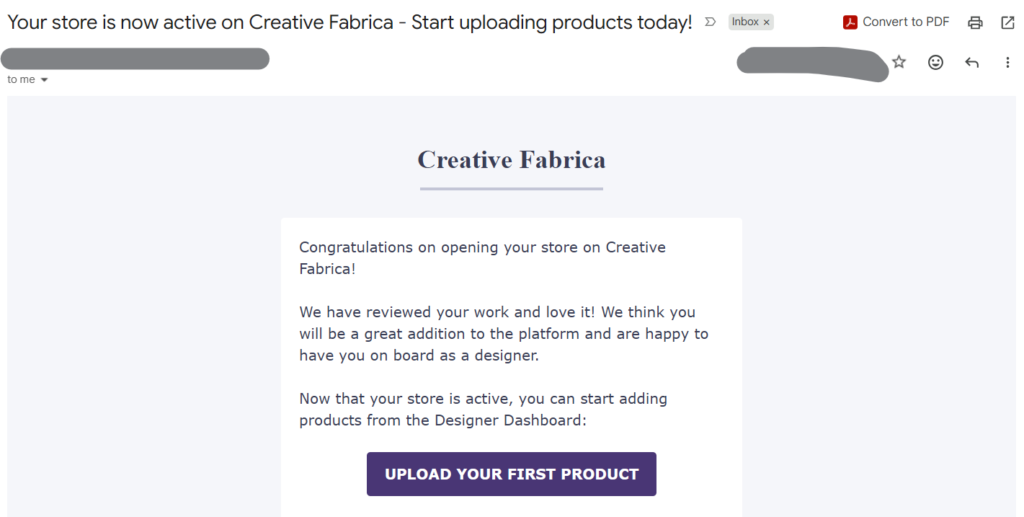
Some marketplaces tell you not to bother applying again (cough cough). Creative Fabrica doesn’t. If your store is rejected for quality reasons or not enough designs, their help centre says you can reapply after a specified period of time. Their rejection emails also encourage you to keep building your portfolio, and I’ve seen artists get accepted on their second attempt.
So read your rejection reason carefully, fix what it points to, give your portfolio time to age and add more work, and then reapply. It isn’t a get-rich-quick route, and even the application takes time. But it’s very doable. All the best!