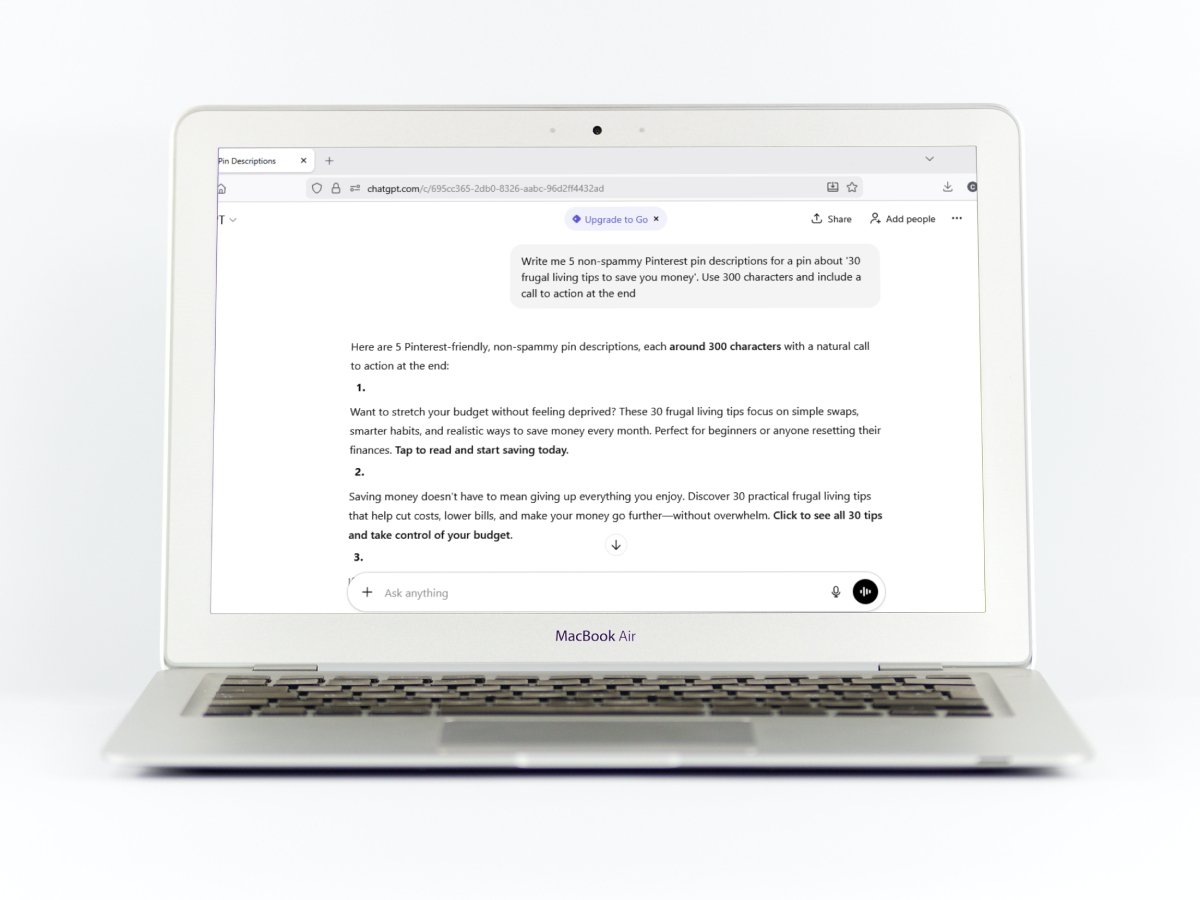
If you DIY your Pinterest marketing, and by this I mean no outsourcing to a VA or agency, then you certainly feel the burden of creating and scheduling your Pinterest pins all by yourself. One of the ways that we, as creators, try to decrease that load is by using AI chatbot tools like ChatGPT to write the copy for out Pinterest titles and descriptions.
We do this in good faith, but what if I told you that while the use of AI Pinterest prompts might be cutting your time in half, it may not actually be helping your Pinterest strategy as a whole?
AI ‘sameness’ and the decline of user trust on Pinterest
Most generic Pinterest AI prompts lack context on how Pinterest actually works. They tend to be keyword-focused and quite verbose, which might help search, but fails to consider how users actually interact with pins. On average, Pinterest shows only the first 30-50 characters of a title on the feed and about 60 characters for descriptions once the user clicks the pin.
So when we as creators use the same plug and play prompts, every pin starts to look the same. Users are already inundated with bad AI generated pin images and are also aware that on the other side of a pin might also be a generic blog post that adds no value to their life. Even if you have a good pin image, the user might still avoid engaging with your content further if the beginning of your description is a tell tale sign of AI slop. To win the trust of users, we need to write better Pinterest copy and this starts with those first 60 characters being value packed but human.
AI’s bad copywriting formula
I’m showing output from Pinterest prompts found on the first page of Google to see where they go wrong. Using the keyword “frugal living tips” (and a real pin image I found as an example) let’s take a look at the first 60 characters produced by these prompts.
- “Ready to boost your bank account? ✨ Discover 30 brilliant an…”
- “Feeling the pinch lately? You’re not alone! This collection…”
- “Ready to stretch your dollars further? Check out these 30 sav…”
- “Discover savvy frugal living tips and transform your home de…”
- “Ready to make the most of your budget? Check out these smart…”
Apart from the abominable lack of originally you will notice that these descriptions start off by trying to connect with the user. While this might work for a blog excerpt, the formula simply doesn’t work on Pinterest. Pinterest is a high-velocity platform and you need to get to the point, quick. The best way to do this is to avoid these generic openers and instead use copy that quickly implies an outcome/consequence.
How I fixed the Pinterest description prompts
Fixing prompts for blog posts
To fix this problem, I stopped gave a specific corrective instruction. Record a transcript if you need to but give detailed feedback about why you don’t like the output of your prompt and tell your chatbot what to do instead. The text below is exactly what I gave ChatGPT.
These descriptions start off by trying to connect with the user. This inappropriate for Pinterest users as they are primarily visually driven but might also be persuaded by good descriptions to engage. Do not use hooks such as these, 'Looking for ...', 'Ready ...'. Instead, use copy that will encourage the user to click to my site just by the reading first 60 characters, e.g. These frugal living tips will stop you from wasting money ... (continue) Stop these money wasting habits and replace them with ... (continue)

Write me 5 non fluffy, objective descriptions that encourage clicks and use a natural call to action like 'Read the blog to learn more tips', 'Check out my blog post ....'. DO not abuse adverbs and adjectives by pulling them out of thin air just to fill in the word count of these descriptions. Aim for 300 words.
After this I got far better output. Here are the first 60 characters of the new descriptions.
- These frugal tips will stop you from pouring money down the
- Frugal living tips that replace money-wasting routines with
- These frugal living tips expose the hidden costs in your spe
- Frugal living tips designed to reduce recurring expenses tha
- Reduce everyday money waste using frugal living tips built t
These descriptions respect the reader’s intelligence and signal that the post is actually worth the read.

Fixing prompts for lead magnets and products
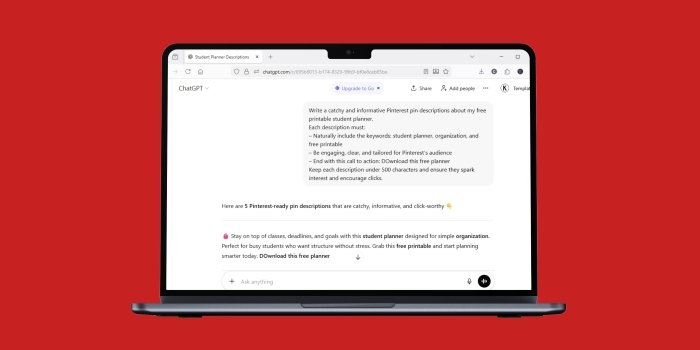
What if you have a lead magnet (or even a product) and not a blog post. Again let’s experiment with the same product title and put it in the prompts found on the first google page. This is for a real pin ‘Free Printable Student Planner’. This is the output I got.
- Ready to take on the new school year? 📚 Download your free
- Stay organized and stress less with this free printable stud
- Stay on top of classes, deadlines, and goals with this stude
- Struggling to stay organized this semester? This student pla
- Get ready for a successful school year with this delightful
Again we see that the actual keyword often isn’t even mentioned in the first 60 characters. The prompts are still making use of hooks that try to connect with the user instead of telling the user what it is they can actually get.
One of my most popular pins that actually got me sales for a $3 printable was actually only two sentences long and just said something a long the lines of
‘Stay organized with this Pink Bow 2025 March Calendar Printable. You can download this calendar at my Ko-fi shop. ‘
In the first 60 characters I used keywords that actually had a substantial search volume on Pinterest.
SO for lead magnets and products, be sure to do your keyword research and use primary keywords in the first few characters. Keep things straightforward and do not write bloated descriptions with emojis and irrelevant hooks.
Always identify your audience in the first 60 characters
Another thing to remember is your audience. Try your best to incorporate the name of your audience in your titles and descriptions, especially if they are important keywords known to Pinterest. Do not risk being vague; you want to find your people.
As seen in the screenshot below you can see that age groups are important audiences that you may want to call out


Other audience based keywords include:
- Young adult male bedroom ideas – 3000 monthly search volume
- Book Lovers Quotes – 4918 monthly search volume
Using a prompt from a Pinterest Coach, I asked for a Pinterest description for a blog that shares 30 quotes about reading, and asked it to use the audience keyword ‘book lovers’ and the first 60 characters. This is the output:
Calling all book lovers 📚✨ These inspiring quotes celebrate the magic of Reading—from cozy nights with a novel to the power of stories that change us. Save this collection of 30 reading quotes every book lover will relate to and love 💕
While the audience is mentioned early, the first 60 characters aren’t compelling. Not to worry, I tried to steer thing in the right direction by giving ChatGPT this feedback:
Stop using empathy hooks that such as 'calling all book lovers', 'looking for quotes', 'Are you a book lover?' The point of this pin is to encourage the reader to click the 'visit site' button and read the full list of quotes. Let's try this again. Do not use emojis as they are a waste of characters (Only the first 60 characters show up when one clicks). Encourage action right from the beginning e.g. 'Read the full list of quotes curated for book lovers' or 'Get inspired by these 30 quotes about book lovers and reading'. Avoid flowery language, irrelevant adjectives and adverbs. Do not use hashtags. Remember, encourage click through.And it gave me this
Read the full list of 30 quotes curated for book lovers and reading enthusiasts. Discover words that capture the joy, wisdom, and passion of reading, and find inspiration for your next literary adventure. Click to see the complete list of quotes.
Much better! I still would edit this but at least it does a better job of naming the audience and starting with a call to action.
TLDR: Pinterest AI prompts need A LOT of work
The main point I would like to make is that, initially, your prompts will give you bad output. Only you can steer things in the wright direction by refining the prompt. Only you know what you want from Pinterest, so make your descriptions work to achieve your goals by eliminating irrelevant information and making the most of the first 60 characters.
Of course this is not the only key to success when it comes to your Pinterest strategy, but it certainly helps a lot by creating intrigue. You might think that you are saving time by using AI prompts, but you need to refine your prompts, and sometimes, by the time you’ve got it right, you might as well have written it by yourself so remember that good old writing is always an option.
Untill next time, happy pinning!